
toolbity.com

PX to REM Converter | Toolbity

PX to REM Converter

Multi-way conversion for responsive web design.

CSS Snippet

font-size: 2rem; /* 32px */

PX & REM Quick Conversion Tables

Standard reference based on a 16px root font size.

Pixels (px) REM
1px0.0625rem
2px0.125rem
4px0.25rem
8px0.5rem
12px0.75rem
16px1rem
20px1.25rem
24px1.5rem
32px2rem
48px3rem
64px4rem
80px5rem
100px6.25rem
REM Pixels (px)
0.1rem1.6px
0.5rem8px
1rem16px
2rem32px
3rem48px
4rem64px
5rem80px
10rem160px
20rem320px
40rem640px
50rem800px
80rem1280px
100rem1600px

Explore our other tools

Optimizing your typography with our PX to REM Converter is a vital step toward achieving a fully accessible layout. To maintain a professional codebase, we recommend pairing this tool with our CSS Minifier to reduce file weight or our JSON Formatter to debug data. These utilities ensure your project remains lightning-fast, highly scalable, and perfectly optimized for modern search engine rankings.

CSS Minifier & Un-Minifier

Compress stylesheets for speed or un-minify for easy debugging.

JSON formatter & Validator

Beautify and validate JSON instantly with 100% client-side privacy.


How to Use Our PX to REM Converter

Using the PX to REM Converter on Toolbity is the easiest way to ensure your website typography is modern and accessible. Follow these simple steps to use our converter:

1. Set Your Base Size: Most browsers use a default of 16px. You can adjust this if your project uses a different root font size.
2. Enter Your Pixels: Type the pixel (PX) value you want to convert into the input field.
3. Get Instant Results: Our tool automatically calculates the REM value as you type.
4. Copy and Paste: Use the result directly in your CSS files for a fully responsive layout.

The Math Behind PX to REM Conversion

If you've ever wondered how the calculation works, it's a simple division formula. To get the REM value, you take the desired pixel size and divide it by the base font size as follows:
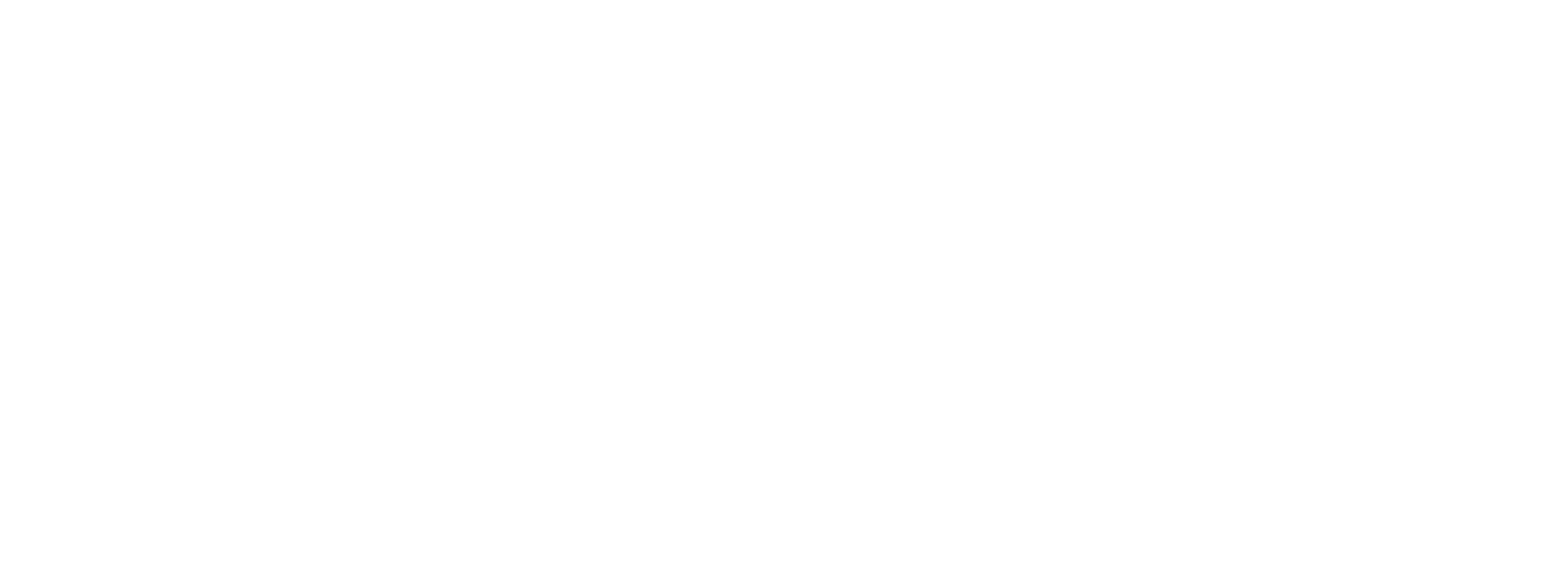
rem (1)
PX to REM Conversion equation

For example, if your base is 16px and you want a 24px heading, the calculation is $24 / 16$, which equals 1.5rem.

Why Responsive Design Requires REM Units

In 2026, web accessibility is a top priority. Unlike pixels, which are "fixed" sizes, REM units are relative to the user's browser settings. If a visually impaired user increases their default font size, your website will scale beautifully and remain readable. Using a PX to REM Converter helps you move away from rigid layouts and toward a "Mobile-First" philosophy that satisfies both users and search engines like Google.


Implementing relative units is a key requirement of the W3C Web Content Accessibility Guidelines (WCAG), which help ensure your typography is readable for all users.

Frequently Asked Questions

What is the difference between PX and REM?

Pixels (PX) are fixed-size units. REM (Root EM) is a relative unit that scales based on the browser's root font size. Using REM is a best practice for responsive web design.

Why should I use REM instead of PX?

REM units are essential for **accessibility**. When users change their browser font size, a site built with REM scales proportionally, while PX units stay locked.

Is the conversion data stored?

No. This tool runs entirely in your browser. No data is sent to our servers, making it private and secure for your workflow.

How do I calculate REM manually?

The formula is simple: $$REM = \frac{Pixels}{Base Size}$$. For example, if your base font size is 16px, then 32px is equivalent to 2rem.