
Optimizing your typography with our PX to REM Converter is a vital step toward achieving a fully accessible layout. To maintain a professional codebase, we recommend pairing this tool with our CSS Minifier to reduce file weight or our JSON Formatter to debug data. These utilities ensure your project remains lightning-fast, highly scalable, and perfectly optimized for modern search engine rankings.
Using the PX to REM Converter on Toolbity is the easiest way to ensure your website typography is modern and accessible. Follow these simple steps to use our converter:
1. Set Your Base Size: Most browsers use a default of 16px. You can adjust this if your project uses a different root font size.
2. Enter Your Pixels: Type the pixel (PX) value you want to convert into the input field.
3. Get Instant Results: Our tool automatically calculates the REM value as you type.
4. Copy and Paste: Use the result directly in your CSS files for a fully responsive layout.
If you've ever wondered how the calculation works, it's a simple division formula. To get the REM value, you take the desired pixel size and divide it by the base font size as follows:
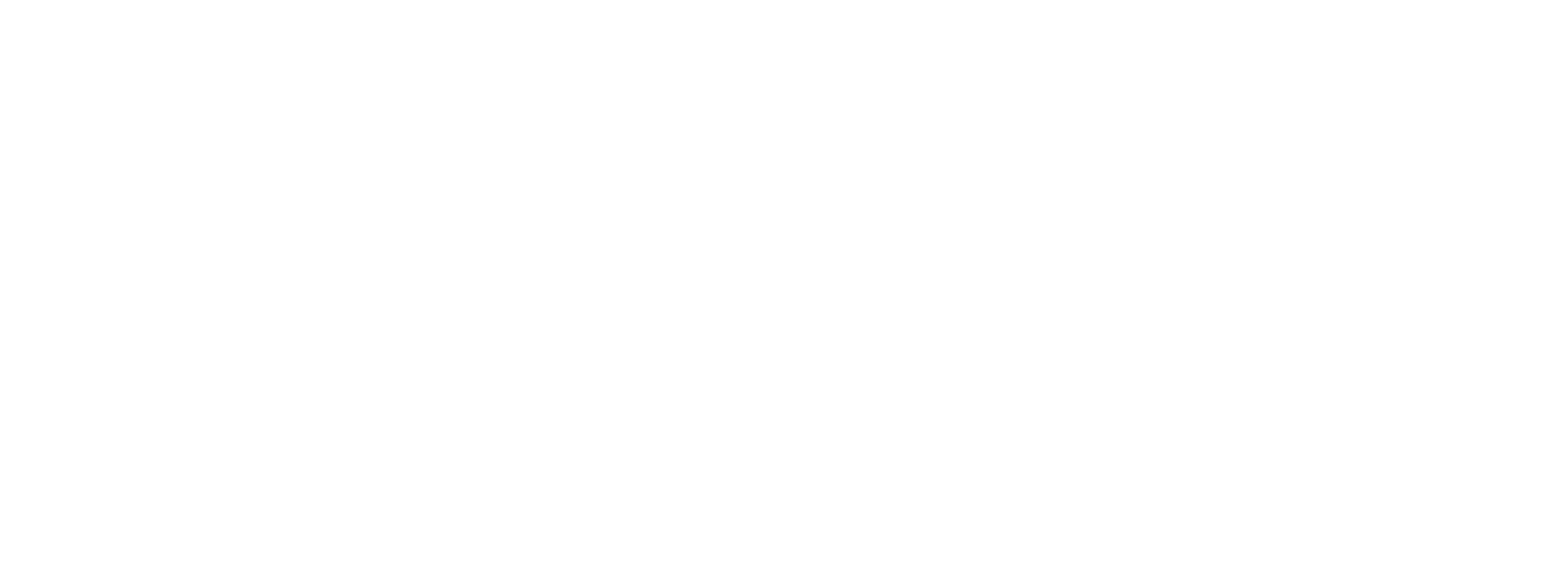
For example, if your base is 16px and you want a 24px heading, the calculation is $24 / 16$, which equals 1.5rem.
In 2026, web accessibility is a top priority. Unlike pixels, which are "fixed" sizes, REM units are relative to the user's browser settings. If a visually impaired user increases their default font size, your website will scale beautifully and remain readable. Using a PX to REM Converter helps you move away from rigid layouts and toward a "Mobile-First" philosophy that satisfies both users and search engines like Google.

